How to Back Up Your Computer Data

Find out the number one thing you should do to make sure you never lose your computer files
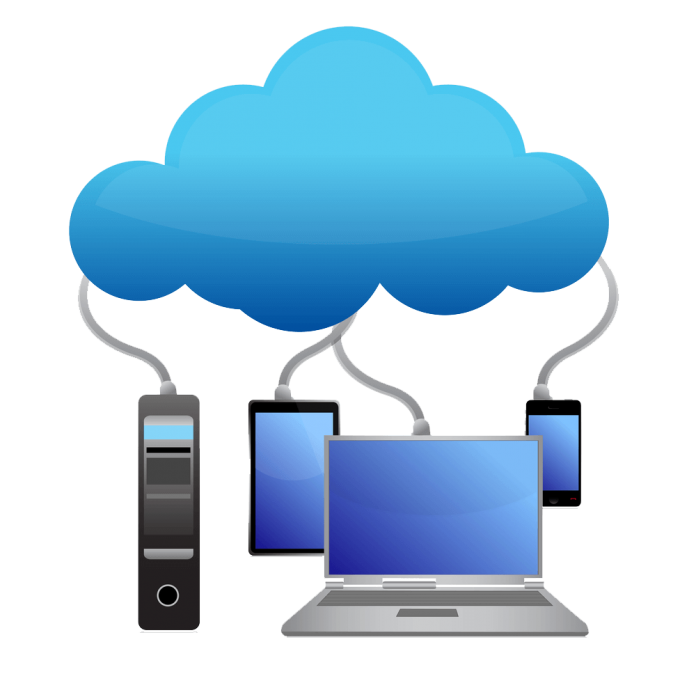
I’ve worked in for years, and I’ve seen a lot of people experience heartbreak when their computer crashes and they lose their most treasured photos, or that thesis they’ve been working on for the past 6 months. That’s why today’s tip is an important one—and one that you’ll thank me for later. I’m here to tell you the number one way to protect yourself from computer failure: back up your hard drive, which basically means keeping a copy of all of your important stuff in two different places.
Why You Need to Back Up Your Data
My uncle’s computer had just celebrated its 10th birthday. I warned him he needed to start backing up his stuff and so he promptly went to the store and purchased a brand new hard drive. There his purchase sat, collecting dust for months and months. Then one day I received a frantic call from him saying “my computer won’t start!” After a quick inspection, I concluded that his hard drive had finally crashed. Of course, because he had not backed up his computer, he lost hours of family videos, hundreds of financial spreadsheets, and irreplaceable family photos.
Unfortunately, there are many people out there just like my uncle, and the goal of this podcast is to make sure that you aren’t one of them!
Basic Computer Lingo
Before I get started telling you exactly how to back up your data, I want to briefly define some lingo that you should be familiar with:
Hard drive: A piece of computer equipment that holds all of your files, such as pictures, video, music, documents, and pretty much anything else. It’s measured in Gigabytes or Megabytes.
Megabyte/Gigabyte: A megabyte can be loosely defined as the amount of space a particular item takes up on the hard drive and a gigabyte is equal to 1,000 megabytes.
How to Back Up Your Data
So how exactly do you back up your stuff? Well, you have a few options:
External drive: You can buy an external drive, which is a hard drive that you connect to your computer by a USB cord.
Internet: Another option is to back up your data on the Internet, also known as “the cloud.” Unlike buying an external drive, this option is oftentimes free and requires no extra hardware. Websites such as Mozy will guide you through this process step by step, and it’s normally very painless.
There are other options you can use (internal hard drive, DVDs, RAID), but they are more involved and I don’t suggest you use them unless you’ve got advanced computer skills.
What’s the Best Way to Back Up Your Data?
 Option 1: The Cloud
For the average computer user who needs to back up less than 5 gigabytes, I would strongly recommend Windows Live Mesh, which is a “cloud” based solution, meaning all of your data is stored securely on the Internet in a Microsoft Data Center. Windows Live Mesh is free and works on Windows as well as Macs.
The benefits of this solution are that it is free, easy, and the safest way to store your files. After initial setup, every time you make a change to a file, it is automatically updated and backed up without you having to do a single thing. The only downside is that you have to take about 30 seconds or so to sign up for an account.
Option 2: Hard Drive
But let’s say backing up to the Internet isn’t for you. Whether it’s because you don’t trust your data online, or you just have too many gigabytes of data, there is another option. And that’s to purchase an external hard drive available at any computer store. Backup hard drives range from $50 to $100, but before you groan, just ask yourself whether you would be willing to pay $50 for all of your files to be safe. I’d bet on it.
Once you read all the information that came with your external hard drive, you can plug it in and most computers will recognize the drive automatically and prompt you from there—it’s pretty easy. I’ll discuss more on using hard drives in a future episode.
Quick and Dirty Tips for Backing Up Computer Data
- Have your data set to back up at least once a week (if not daily)
- Keep at least two copies of your data, each on a different hard drive (or one on the Internet).
- When your external hard drive isn’t connected to your computer when backing up, keep it in a safe place in case of some sort of natural disaster, such as a fire or flood.
- If possible, I strongly recommend backing up your data to The Cloud.
Do you have any sad stories about losing files? Or success stories about how a back-up saved your data? Tell us in Comments below or post them on my Tech Talker Facebook page. If you have any questions about the topics covered in today’s podcast, feel free to email me at techtalker@quickanddirtytips.com.
Until next time I’m the Tech Talker, keeping technology simple.
Cloud image courtesy of Shutterstock
About the Author

Tech Talker demystifies technology and cutting edge devices so that even the most tech illiterate can understand what’s going on with their computer or gadget — and what to do when something goes wrong.